Publishing on GitHub Pages
GitHub Pages is a free hosting service that lets you publish a website from a GitHub repository.
Publishing a website associated with your GitHub account#
- Open a browser and go to your GitHub account.
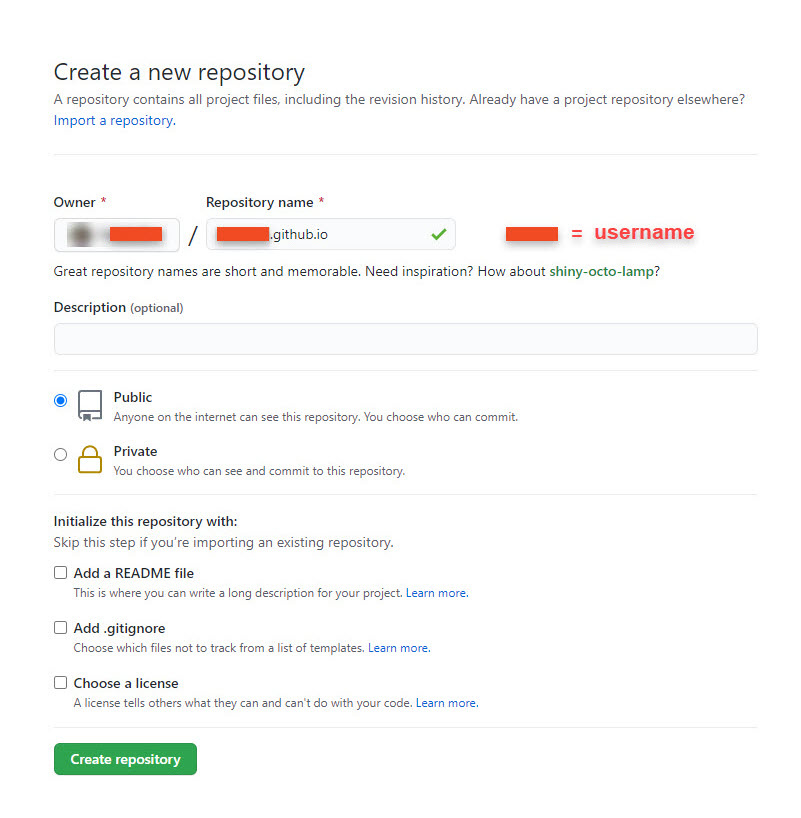
- Create a new public repository named username.github.io, where username is your GitHub username.
- To clone your repository on your computer, click Set up in Desktop.
- Create Markdown or HTML files in your local repository.
Note: One file has to be named either index.md or index.html. This will be the home page of your website. - In Github Desktop, commit and push your changes.
- To access your website, open a browser and go to https://username.github.io.
Publishing a repository on GitHub Pages#
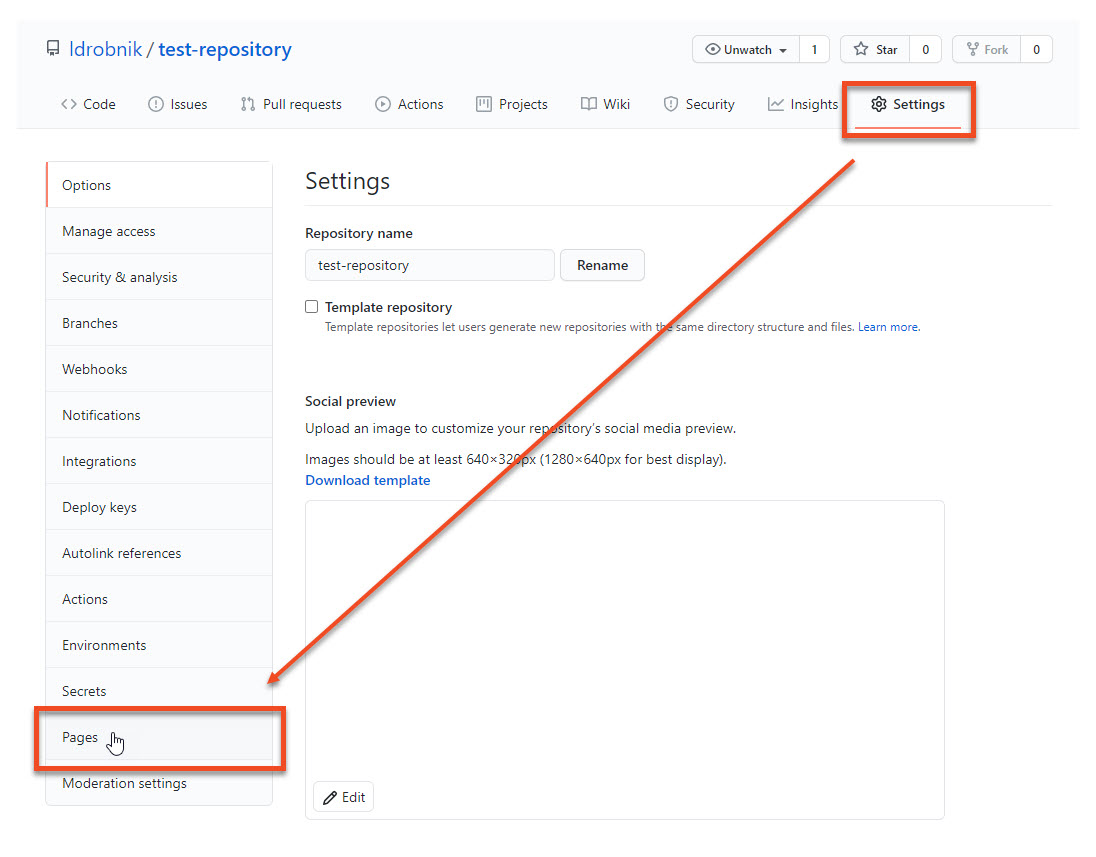
- Open your repository and go to Settings > Pages.
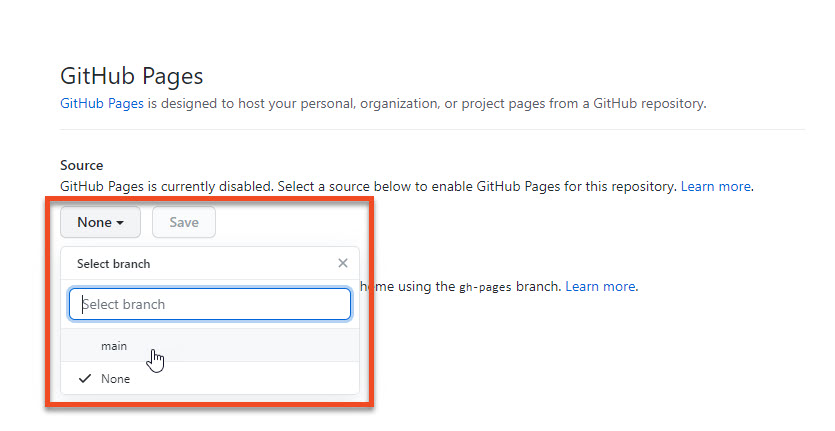
- Under Source, click the drop-down menu to select a branch that you want to use, for example main.
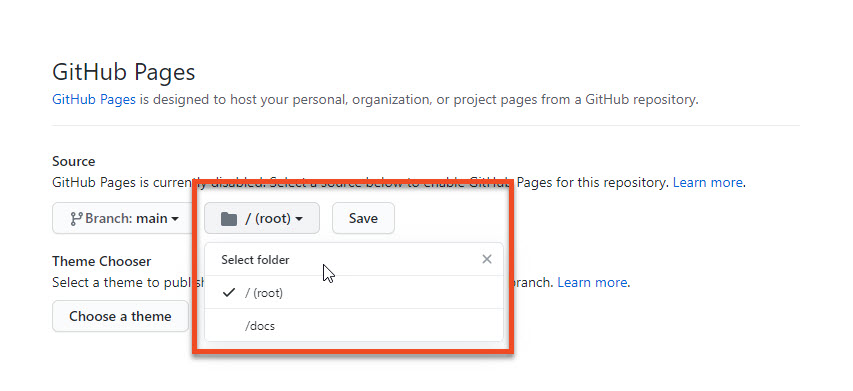
- Select a folder that contains your website files and click Save.
- Your website is published under https://username.github.io/repository/, where username is your GitHub username and repository is your repository name.
Customizing your website#
If you want to customize the appearance of your website, you can use a Jekyll theme, such as Just the Docs.